
How to Buy USDT Using Your VND Balance?
How to Buy USDT Using Your VND Balance?
[Estimated reading time: 3 minutes]
Learn how to instantly purchase USDT directly from your Vietnamese Dong (VND) balance through the Bitget Buy and Sell feature. This guide covers both web and mobile app platforms.
Before you start
Before buying USDT with your VND balance, make sure that:
-
Sufficient VND Balance: You have enough VND in your Bitget Funding Account to complete the purchase.
-
Identity Verification: You have completed identity verification (KYC) to enable VND transactions.
Note: If your VND balance is insufficient, the Buy USDT button will change to Go to Deposit. Click or tap Go to Deposit to enter the VND deposit flow and add funds before continuing with your purchase.
How to buy USDT using your VND balance?
For Web Platform
Step 1: Access Buy & Sell
1. Log in to your Bitget account on the web platform.
2. Navigate to Buy Crypto in the top navigation bar and choose Buy & Sell.
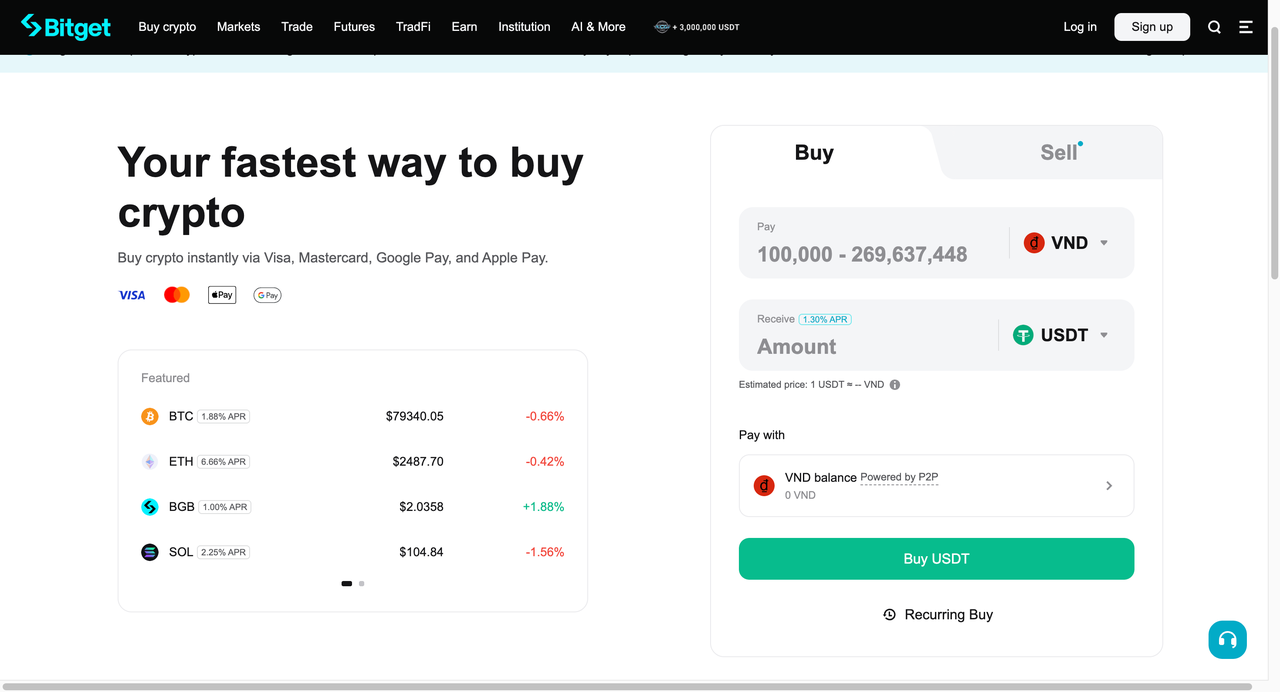
Step 2: Buy section
1. In the Buy section, select VND as your payment currency and USDT as the cryptocurrency you want to purchase.
2. Enter the amount of VND you would like to pay.
Step 3: Check Your VND Balance
The system automatically checks your available VND balance:
-
Sufficient Balance: The “Buy USDT” button remains active
-
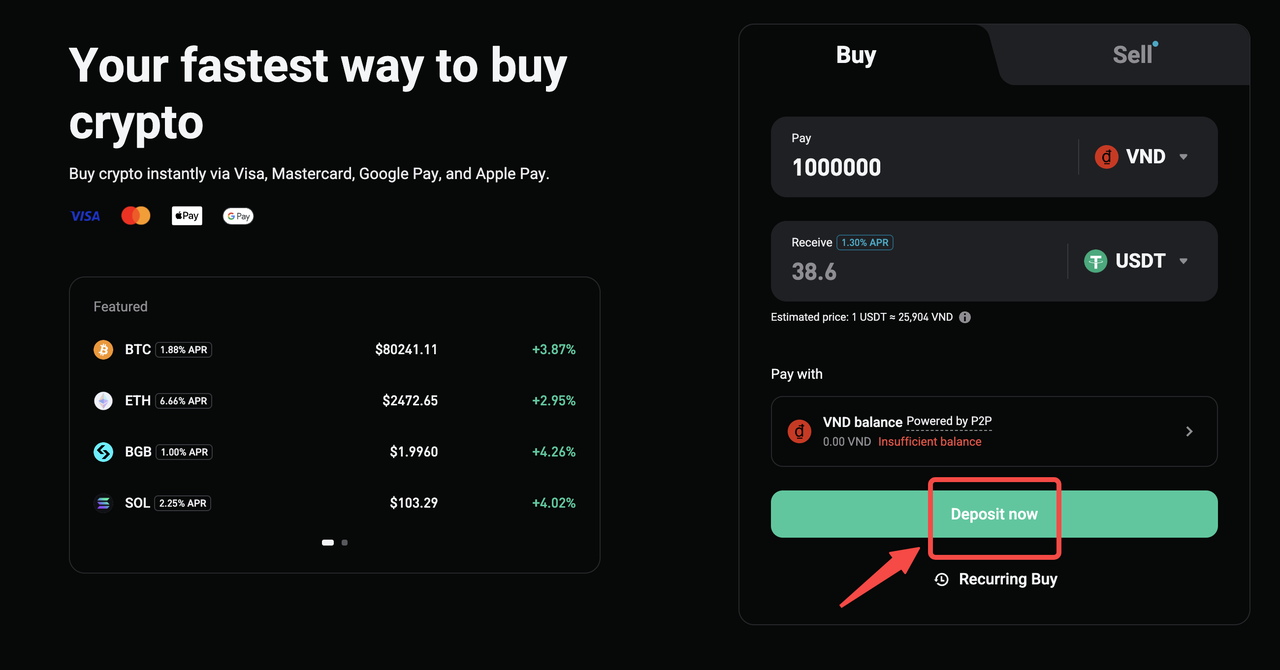
Insufficient Balance: The button changes to "Deposit Now"
If your balance is insufficient:
-
Click “Deposit Now”
-
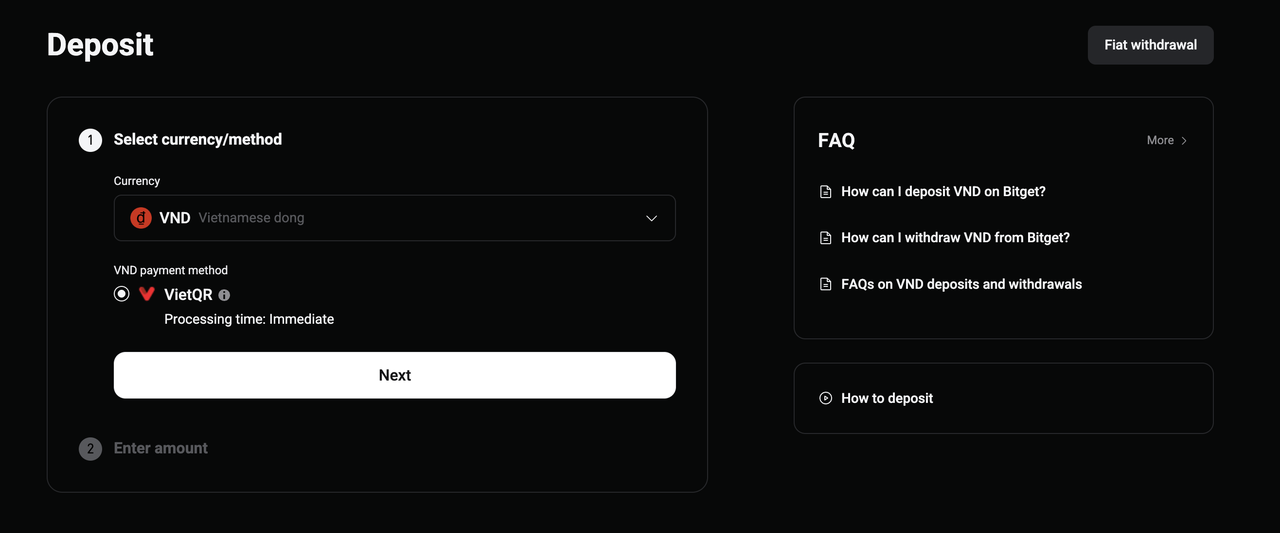
You'll be redirected to the VND deposit page
-
Complete the deposit process to add funds
-
Return to Buy and Sell once your deposit is confirmed
Step 4: Place Your Order
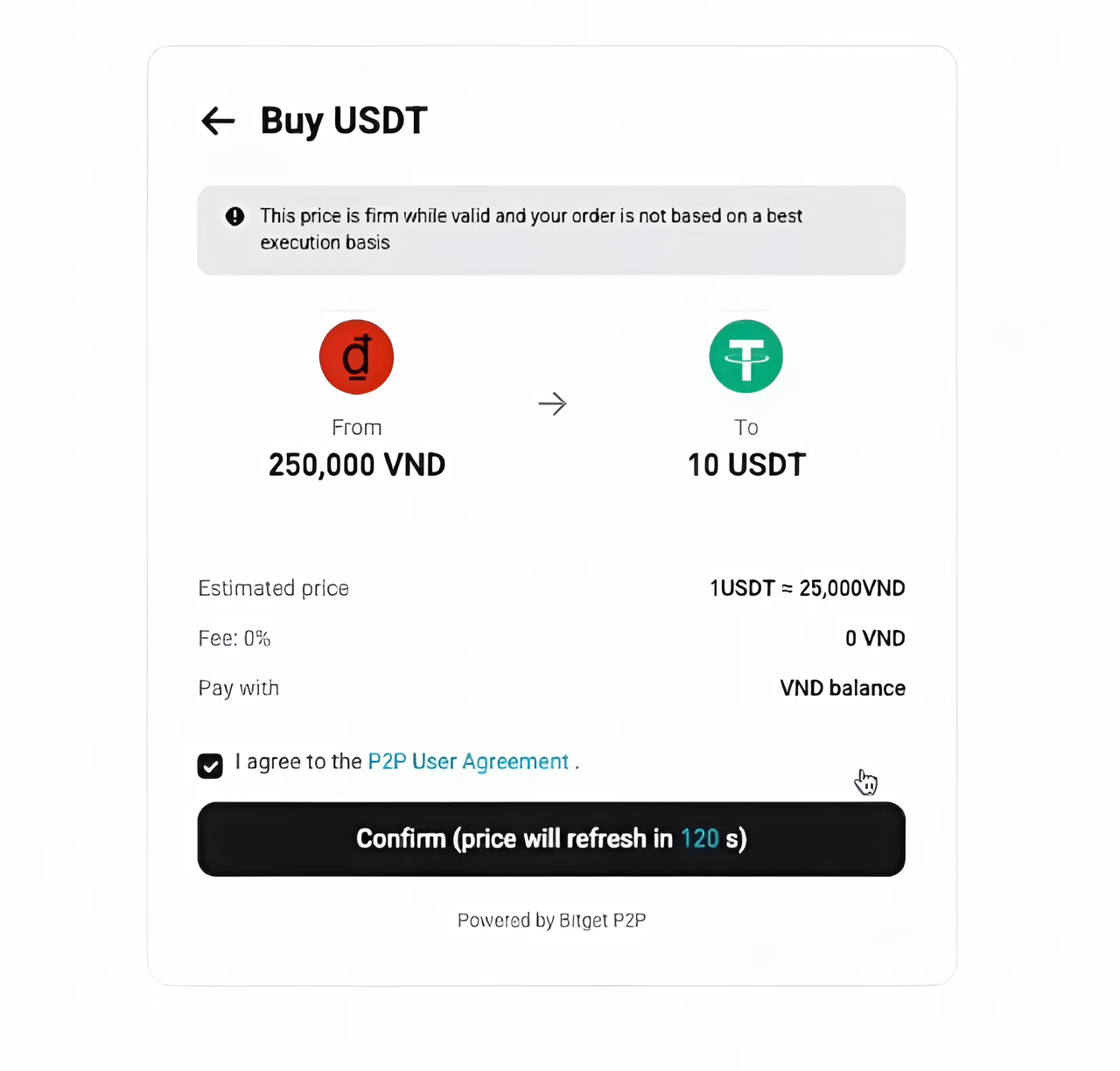
1. After clicking Buy USDT, you’ll be directed to the order confirmation page.
2. Carefully review all order details before proceeding.
3. Click “Confirm” to complete the transaction.
For Mobile App
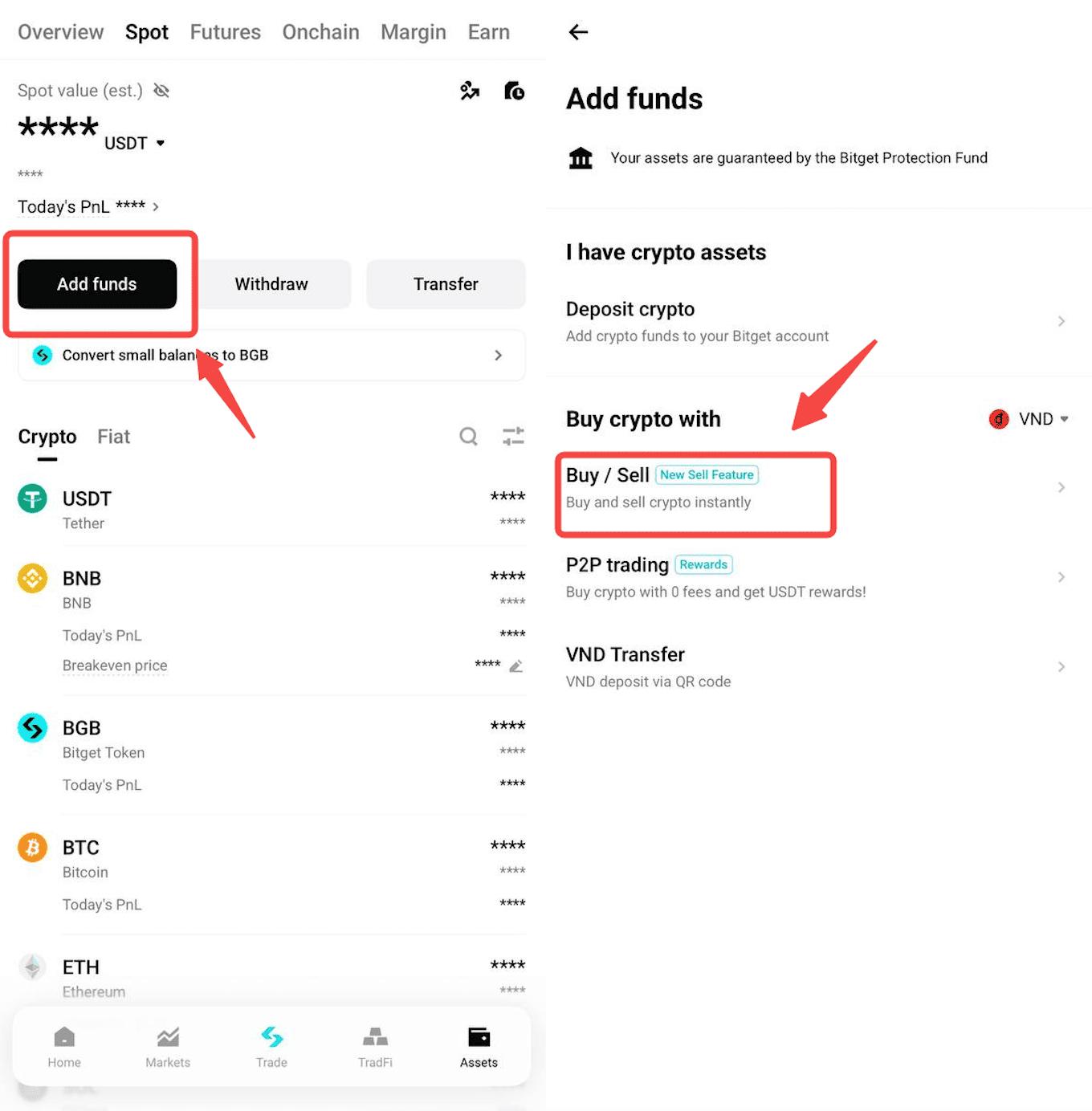
Step 1: Access Buy & Sell
1. Log in to your Bitget account in the app.
2. Tap Assets in the bottom navigation bar.
3. Tap Add Funds and select Buy/Sell.
Step 2: Buy section
1. In the Buy section, select VND as your payment currency and USDT as the cryptocurrency you want to purchase.
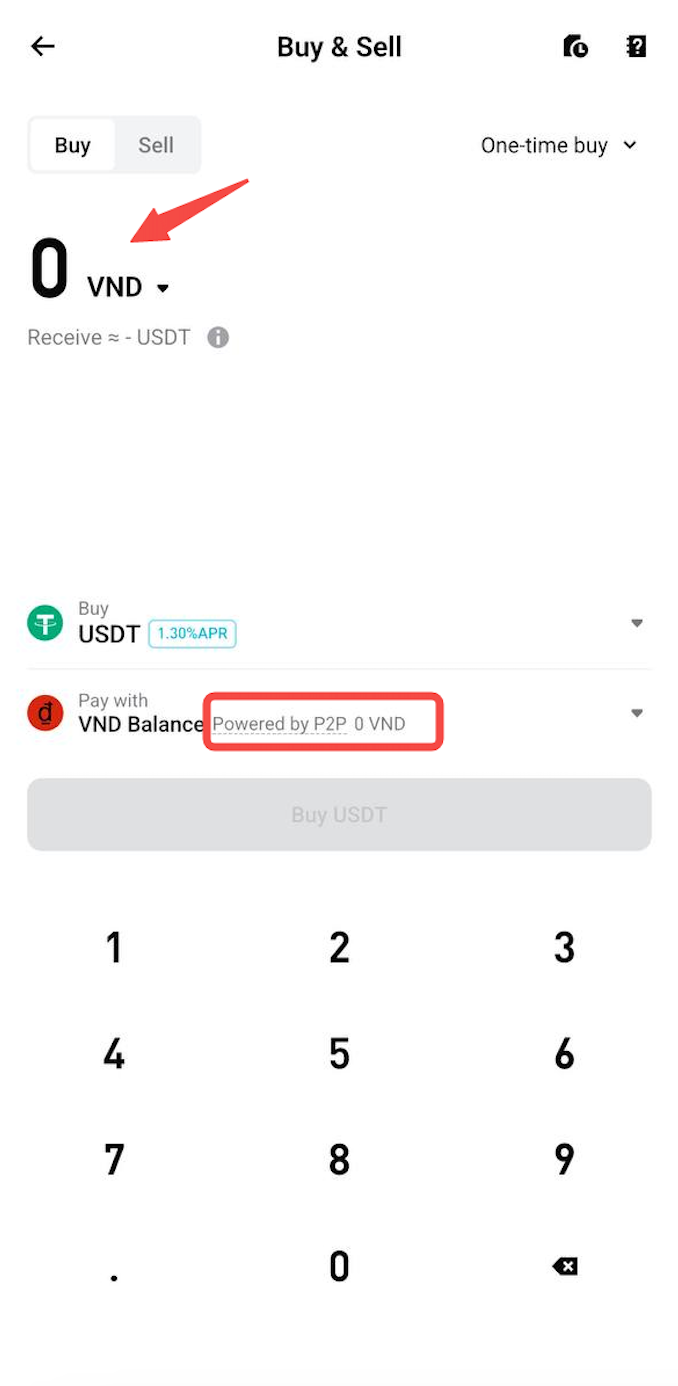
2. Enter the amount of VND you would like to pay.
3. Tap Buy USDT.
Step 3: Check Your VND Balance
The app automatically checks your available VND balance:
-
Sufficient Balance: The Buy USDT button remains active.
-
Insufficient Balance: The button changes to Go to Deposit.
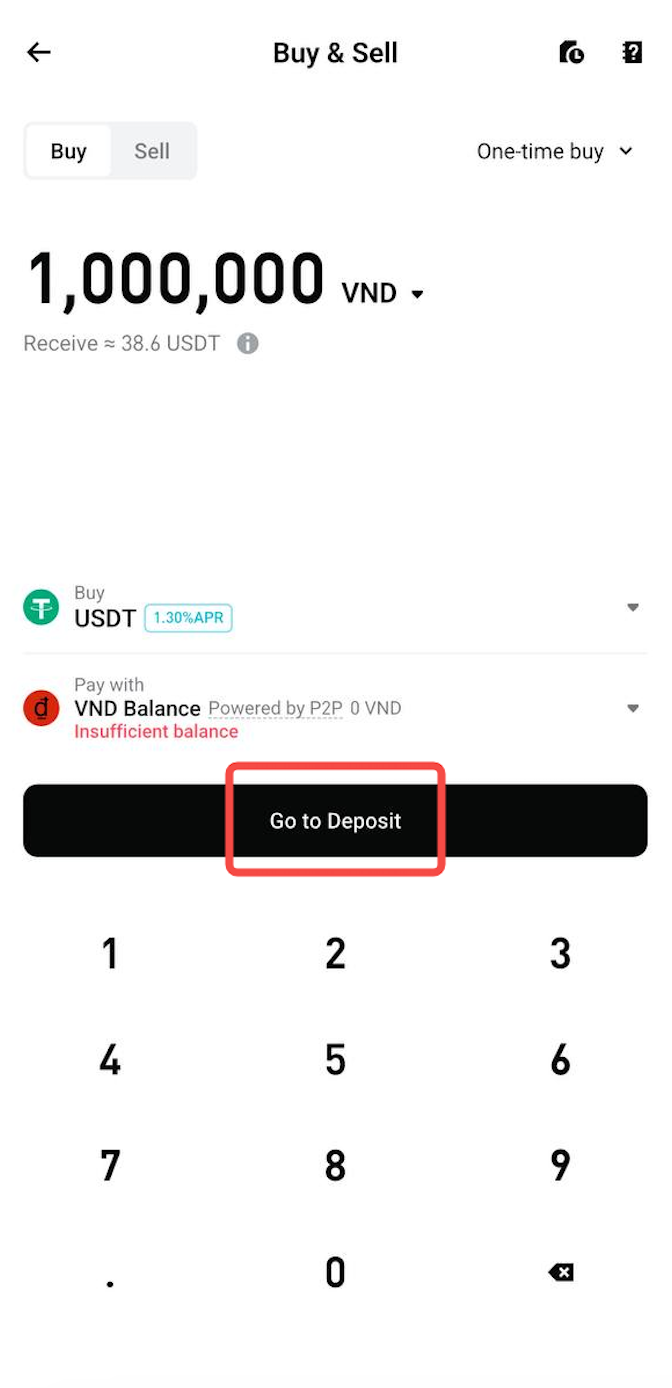
If your balance is insufficient:
1. Tap Go to Deposit.
2. You’ll be redirected to the VND deposit page.
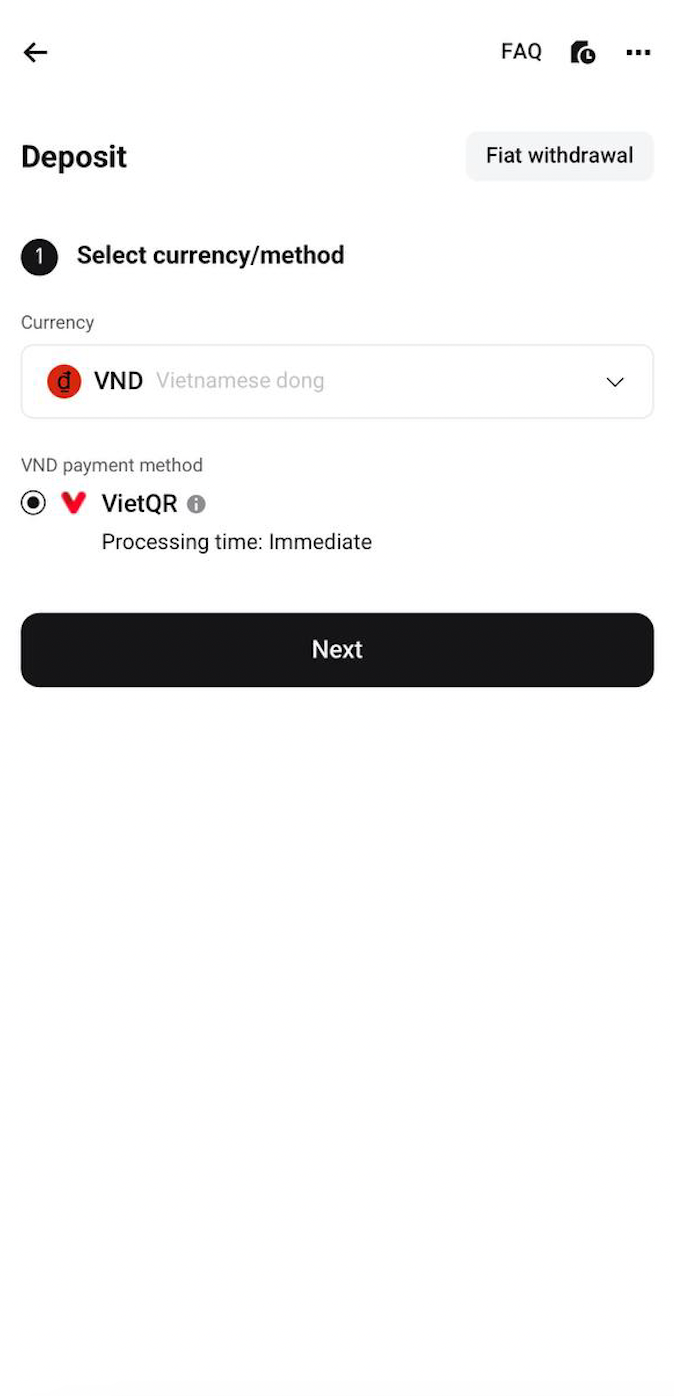
3. Complete the deposit process to add funds.
4. Once your deposit is confirmed, return to Buy & Sell.
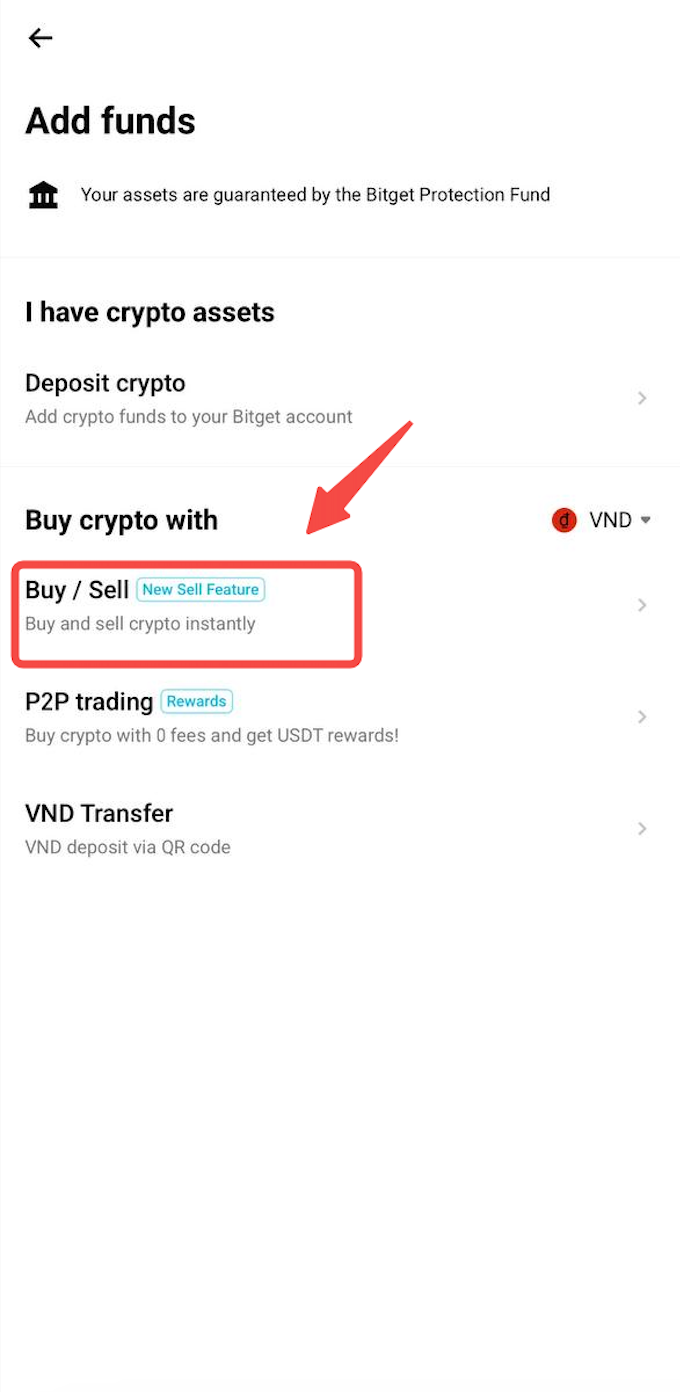
Step 4: Place Your Order
1. Tap Buy USDT to proceed to the order confirmation page.
2. Carefully review all order details.
3. Tap Confirm to complete the transaction.
FAQs
1. What happens if I don't have enough VND to complete the purchase?
The Buy USDT button changes to Go to Deposit. Select it to enter the VND deposit flow, add sufficient funds, and then return to Buy & Sell to continue your purchase.
2. What happens after I confirm my USDT purchase?
Once the transaction is successfully completed, the purchased USDT is credited to your Spot Wallet.
3. Can I buy USDT on both the web platform and mobile app?
Yes. You can purchase USDT using your VND balance on both the Bitget web platform and mobile app.
4. Can I cancel my USDT purchase after confirming the order?
Once you confirm the transaction, the purchase is confirmed and cannot be canceled. Please review all order details carefully before clicking Confirm.
*This announcement is time-sensitive. Please note the date of publication. The platform assumes no responsibility for any direct or indirect losses arising from changing circumstances or outdated content.