
Bitget CFD introduces Standard+ trading mode
Bitget CFD introduces Standard+ trading mode
To provide users and affiliates with more flexible trading options and tailored pricing structures, Bitget CFD will introduce Standard+ trading mode on its website on October 16, 2026. The mode will also be supported on the Bitget app starting with version 2.95.0.
Features of Standard+
- Zero commission: No fixed trading commissions are charged. Overnight swap fees continue to apply as usual.
- Unified markup structure: A transparent cost structure designed for users seeking exclusive markup arrangements through their affiliates.
- Trading instruments with the .p suffix: All trading instruments in Standard+ mode have a .p suffix.
For example, gold is displayed as XAUUSD.p, while the Nasdaq 100 Index is displayed as NAS100.p.
- Full range of trading instruments: Standard+ mode supports the same range of trading instruments as ECN mode.
- Same trading specifications as ECN mode: Trading specifications, including tiered leverage, contract size, price precision, and overnight swap fee rules, are consistent with those of the corresponding instruments in ECN mode.
How can I switch to Standard+ mode?
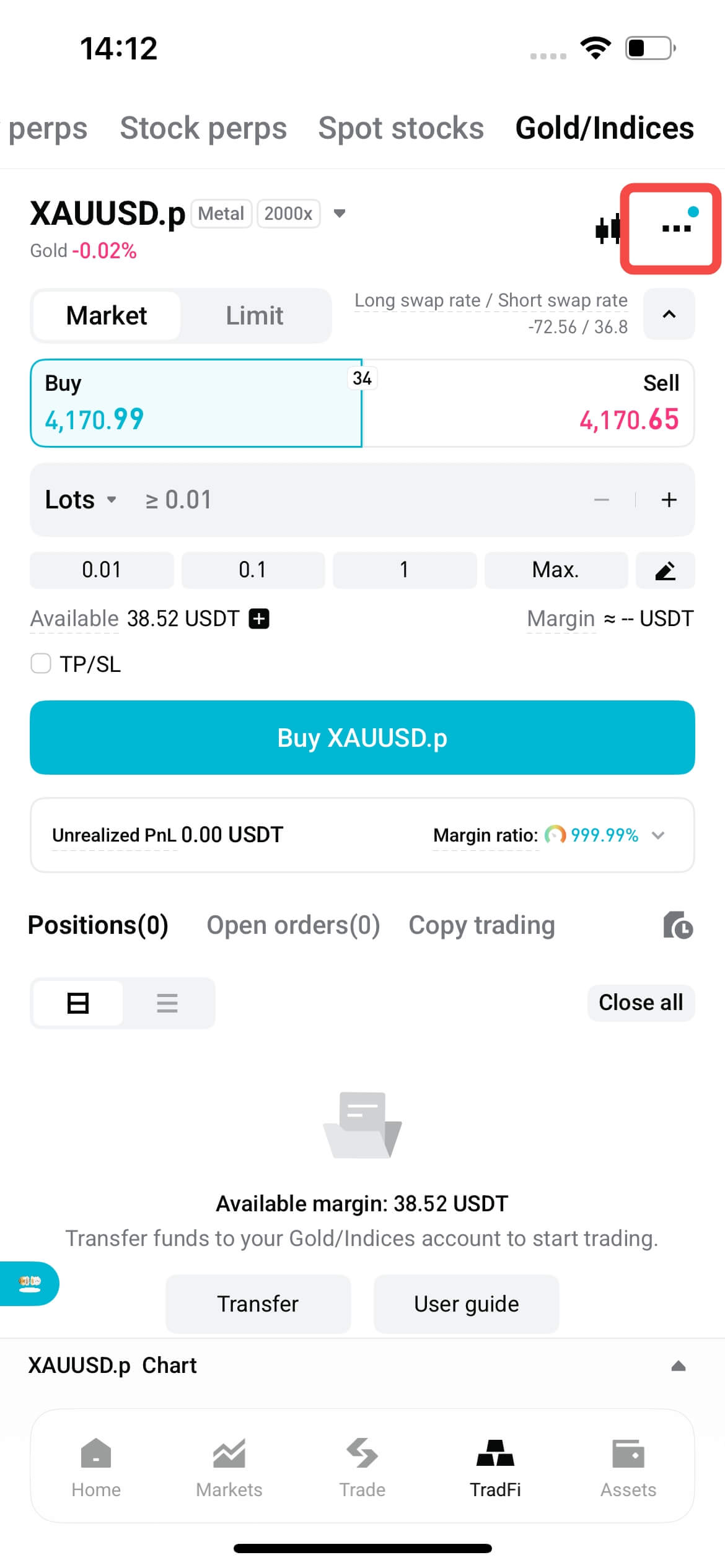
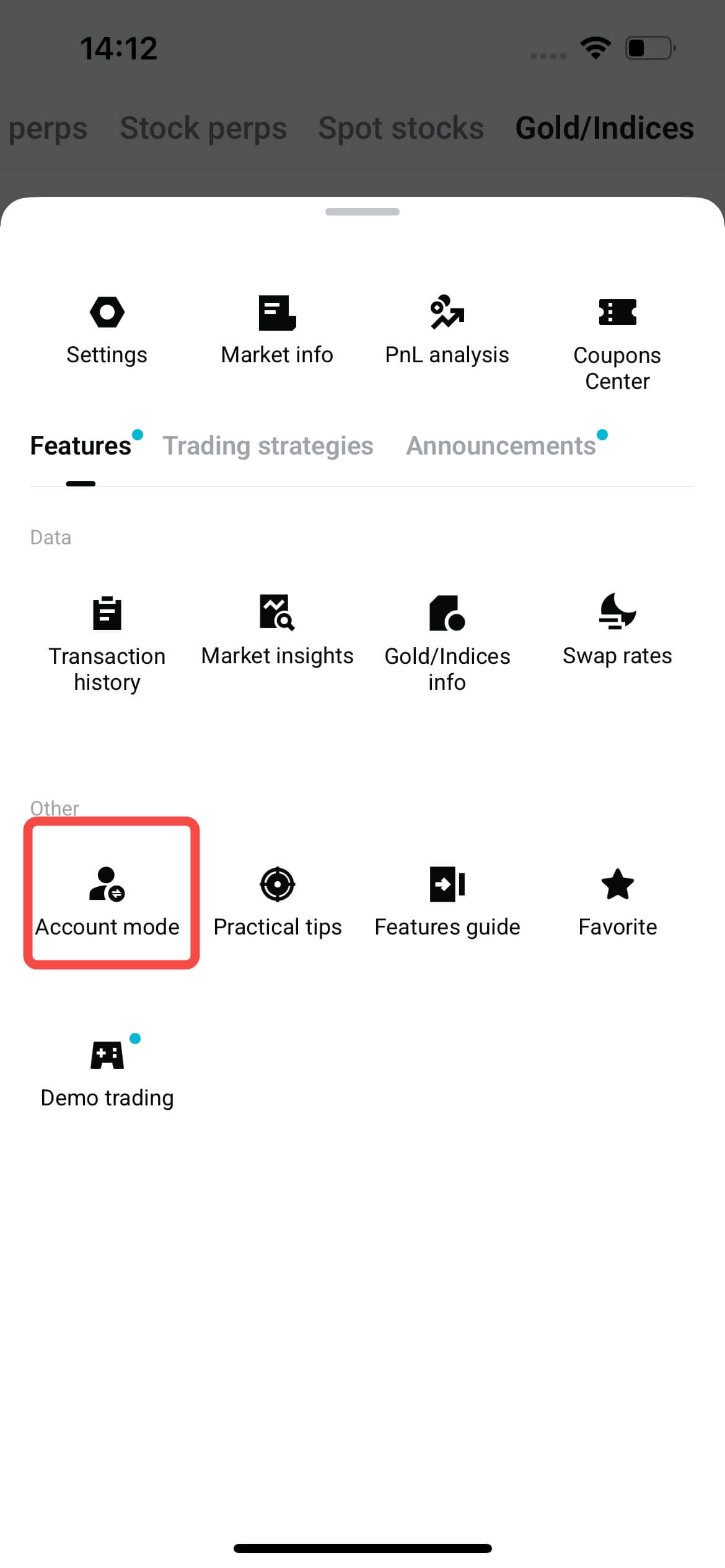
1. Open the account mode selection window
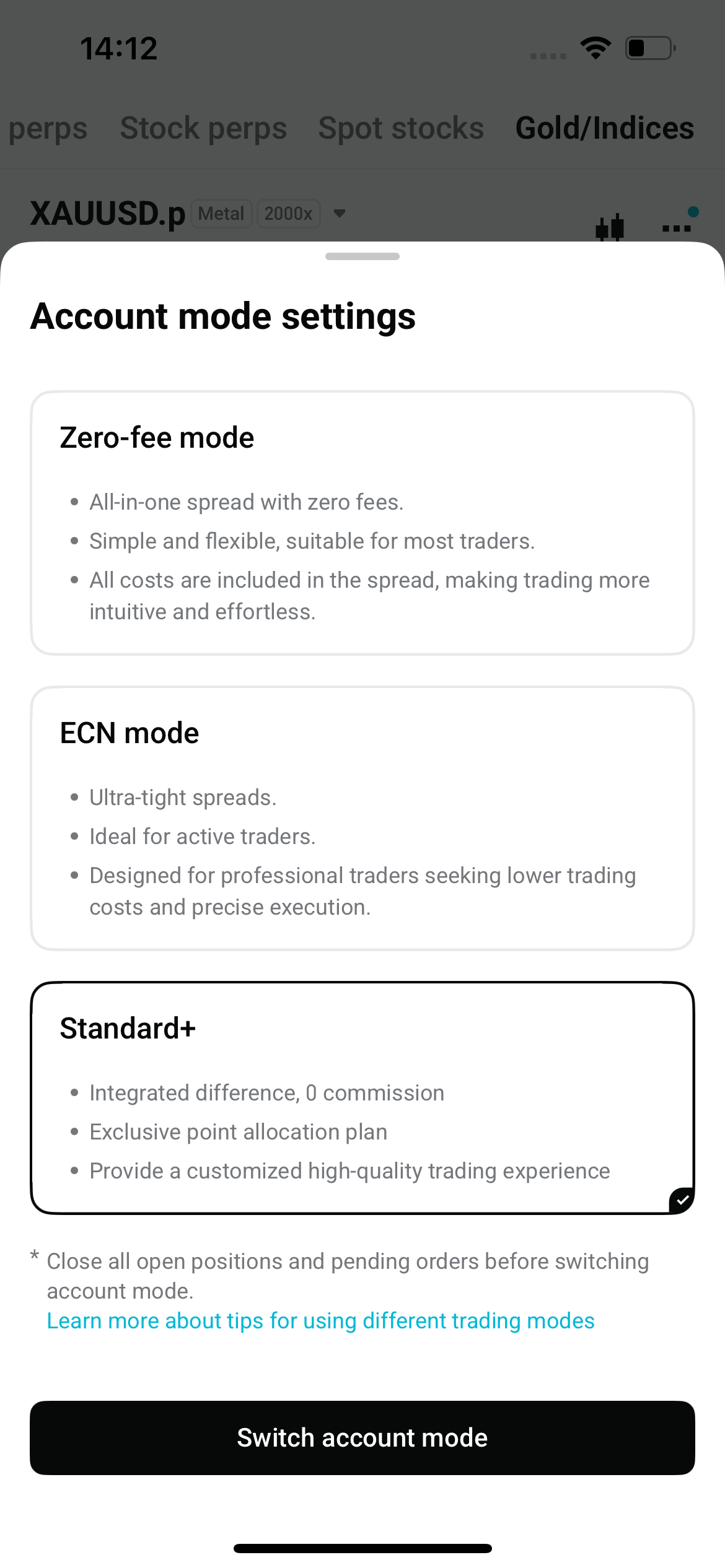
- App: On the trading page, tap Account Mode to open the selection window.
- Website: Go to Preferences → Account Mode to open the selection window.
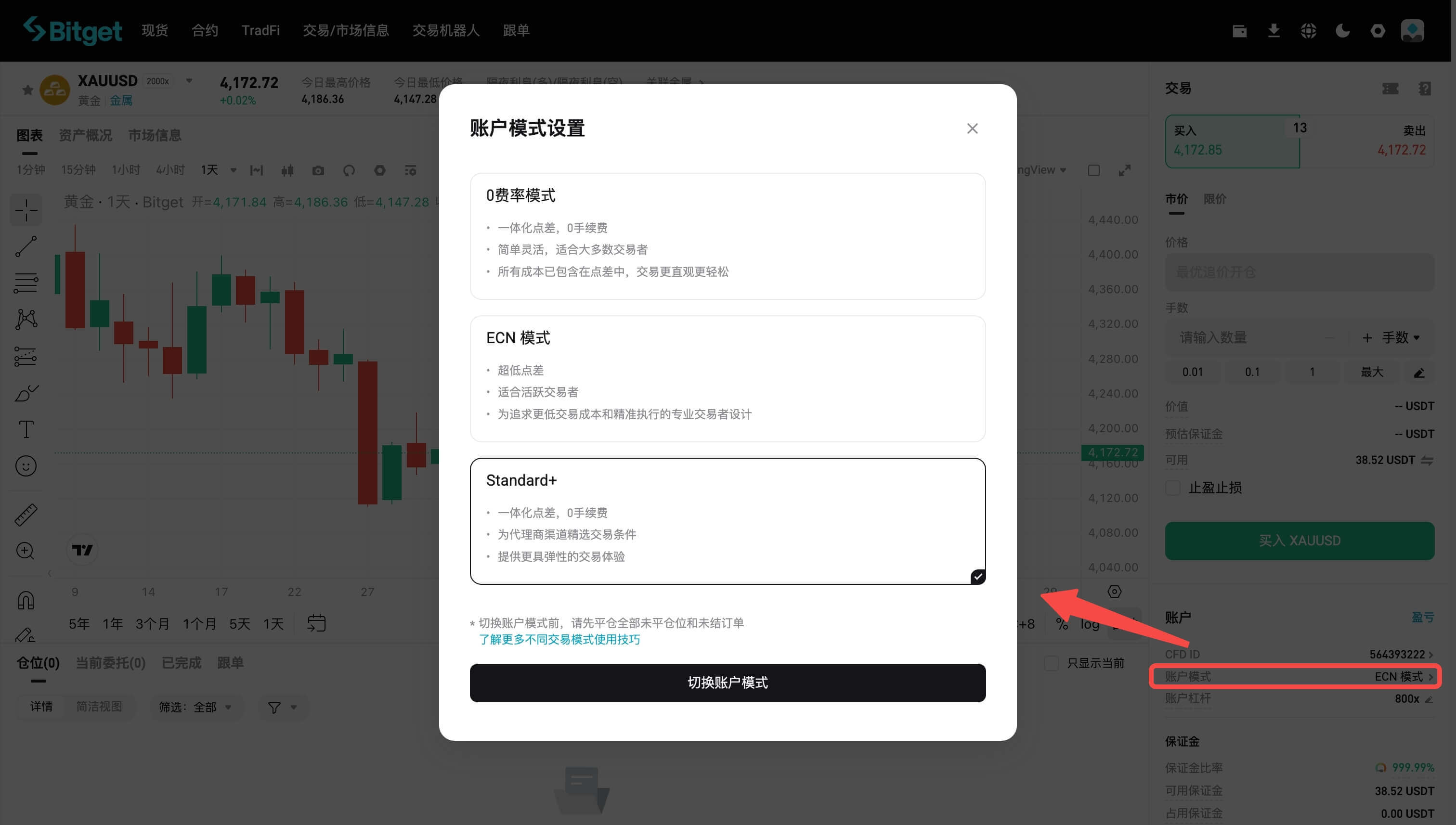
2. Select Standard+ and confirm the change
In the pop-up window, select Standard+ and confirm the change.
Note: You must have no open positions or pending orders before switching modes. The change takes effect immediately.
3. Start trading instruments with the .p suffix
Once the switch is complete, your account will automatically display quotes for instruments with the .p suffix. You can then trade under the exclusive markup arrangements available in Standard+ mode.
Notes
- You must update to Bitget app version 2.95.0 or later to trade in Standard+ mode.
- Before switching account modes, ensure that you have no open positions or pending orders.
- Instruments in Standard+ mode are identified by the .p suffix. Make sure you select the correct instrument before placing an order.
*This announcement is time-sensitive. Please note the date of publication. The platform assumes no responsibility for any direct or indirect losses arising from changing circumstances or outdated content.