
OBS Streaming Guide
The current article does not support the language you selected, it has been automatically recommended to English for you
OBS Streaming Guide
2025-05-26 14:38
56463Поделиться
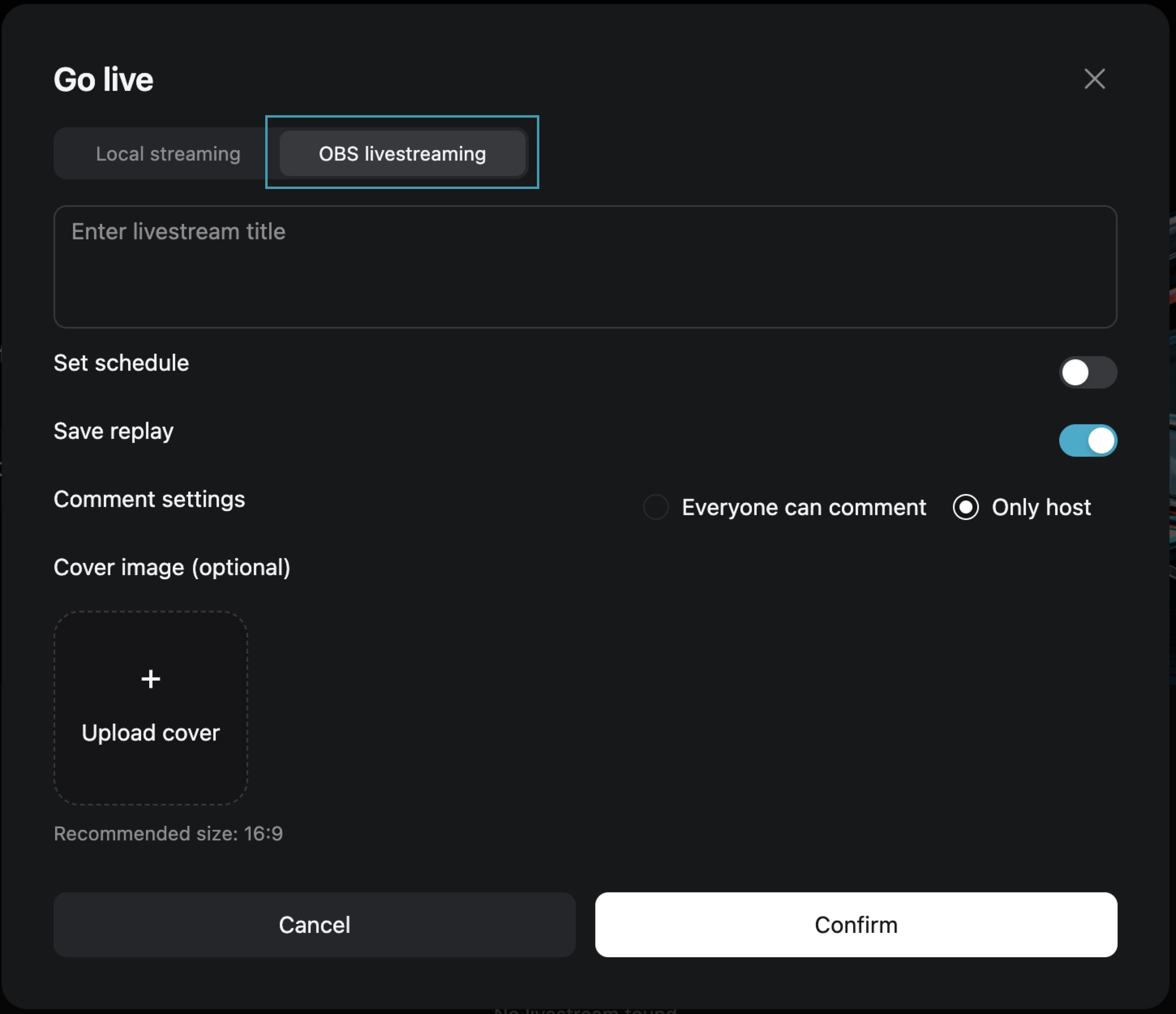
Step One: Choose [OBS Streaming Live]
After filling in the live broadcast information, click [Confirm] to enter the live preview page.
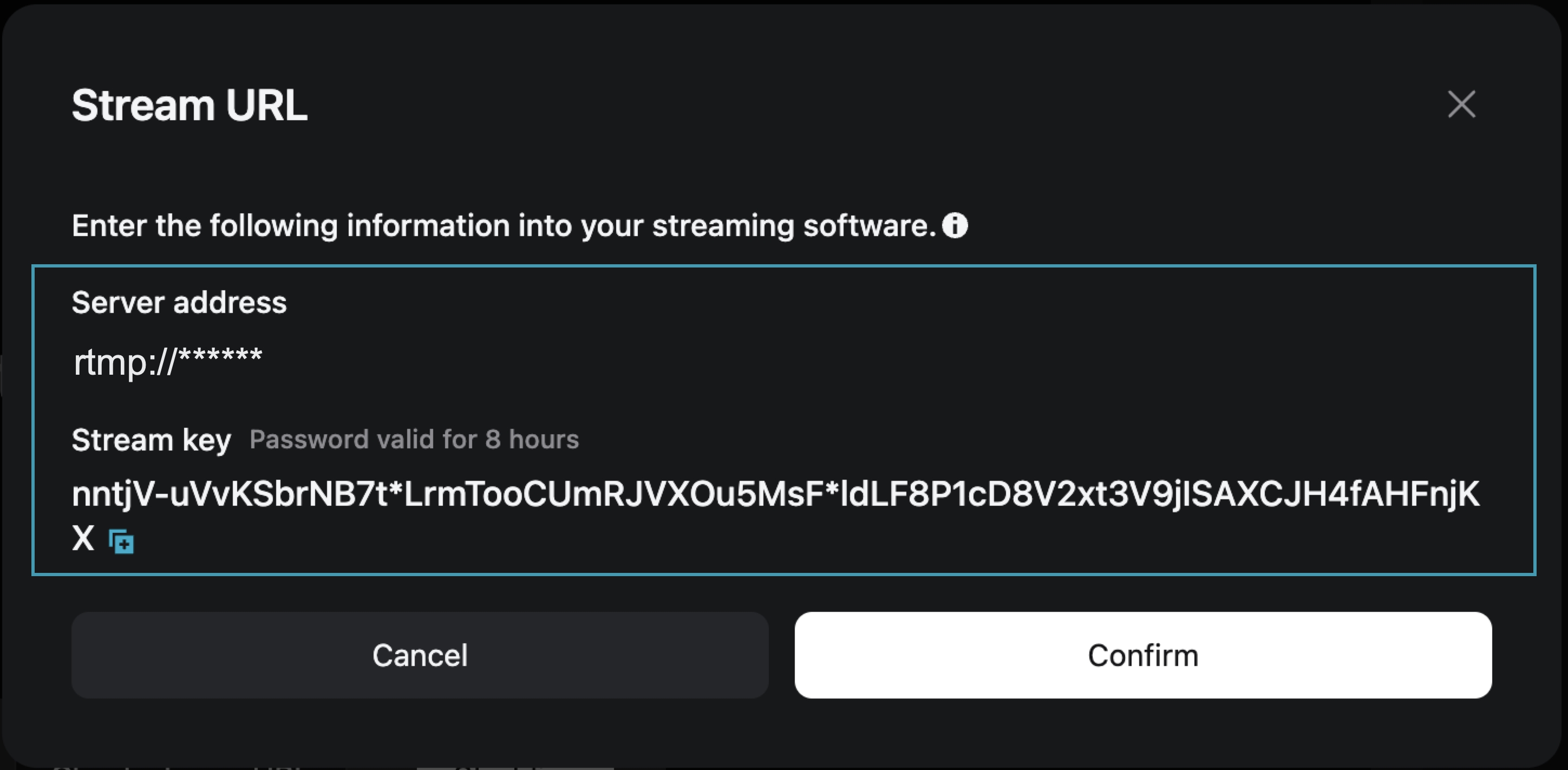
Step Two: On the live preview page, obtain the [Stream Address] and [Stream Key]
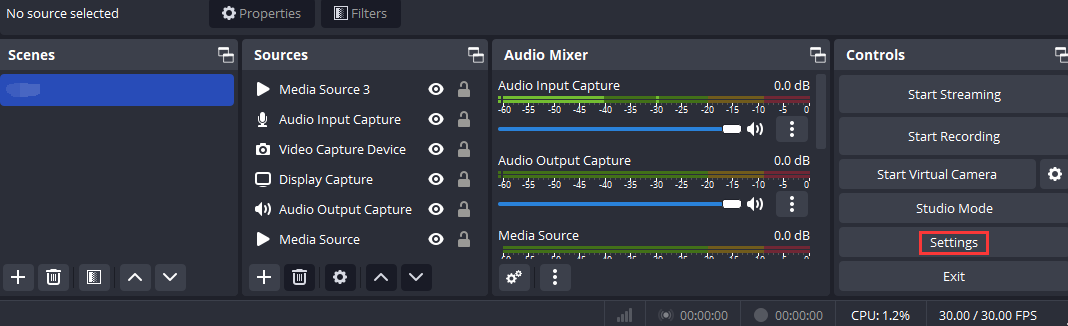
Step Three: Open OBS and access the settings page
Open OBS, and you can access the settings interface by clicking on the Settings button in the bottom toolbar control.
Step Four: Configure OBS Stream Settings
1. Click [Stream] to enter the stream settings tab, and select "Custom Streaming Server" as the service type.
2. Enter the obtained "Server Address" and "Stream Key" into the Server and Bearer Token fields.
Server: Corresponds to "Server Address"
Bearer Token: Corresponds to "Stream Key"
3. Save the settings.

Step Five: Configure Output Parameters
Output Mode: Select “Advanced”
Rescale Output: Select 1280*720
Profile: Select baseline

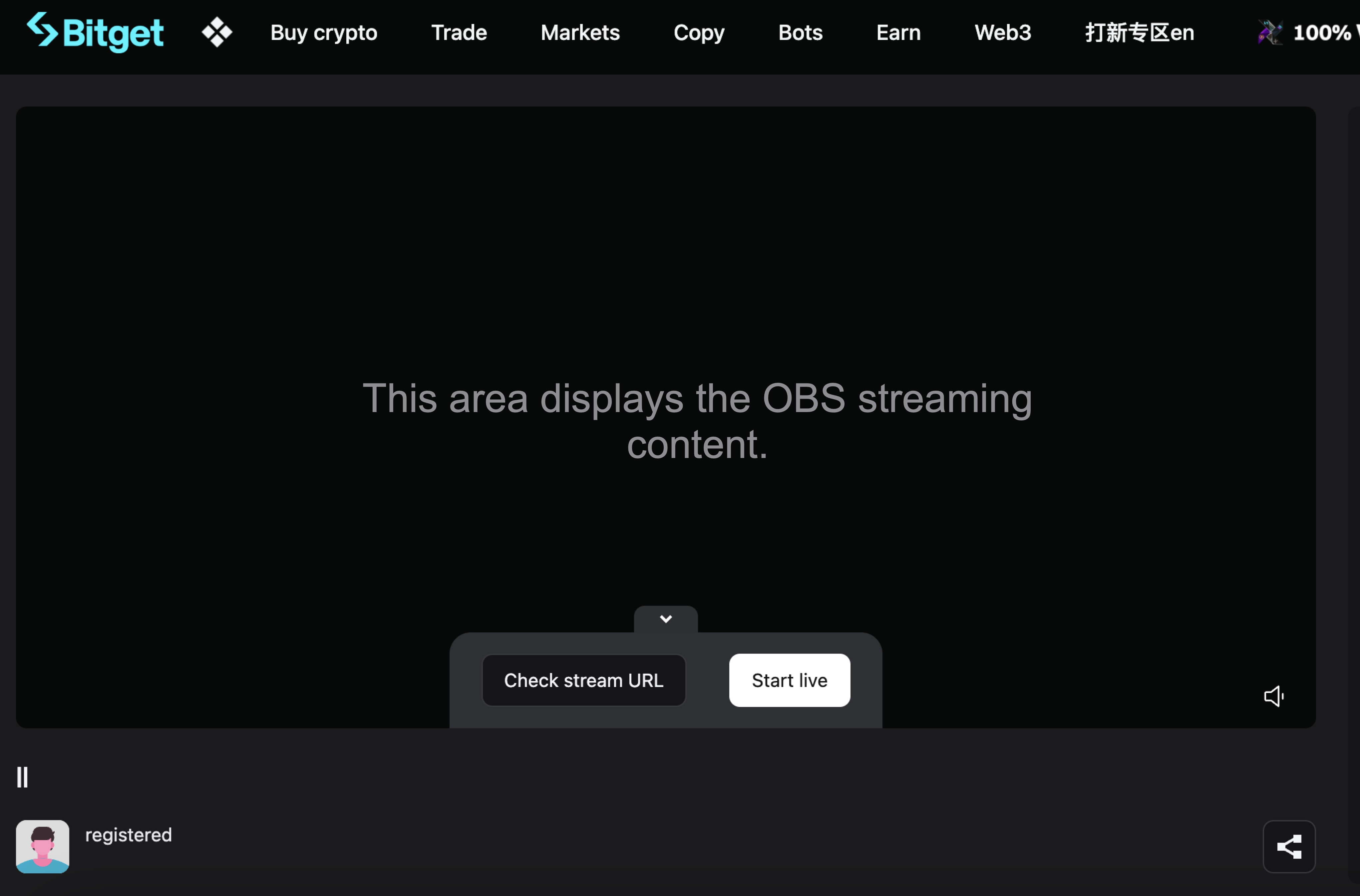
Step Six: Return to the Bitget Live Preview Page
At this point, the live preview page will display your OBS broadcast content. Click [Start Live] to begin your live broadcast on Bitget.
Join Bitget, the World's Leading Crypto Exchange and Web3 Company
*Это объявление чувствительно ко времени. Обратите внимание на дату публикации. Платформа не несет ответственности за любые прямые или косвенные убытки, возникшие из-за изменения обстоятельств или устаревшего контента.
Похожие статьи
⚙️ Техническое обслуживание сервиса возврата незачисленных депозитов📢 Уведомление о повторной KYC-верификацииБрокерская программа Bitget — часто задаваемые вопросыКак подать заявку о наследовании на BitgetСатоши найден в GetAgent. Задайте ему вопросы и разделите $10,000 в BTC.Ограниченная по времени акция по обновлению до GetAgent Plus для всех пользователей🎉 Празднование семилетия Bitget · Эксклюзивные преимущества 🎂Бот Bitget Guardian Bot в Telegram запущен!Часто задаваемые вопросы о слиянии Bitget Wallet Token (BWB) и Bitget Token (BGB)Руководство по плавающим окнам для устройств Android
Это было полезно?