Bitget Identity Verification Quick Guide
What is KYC?
KYC (Know Your Customer) is an identity verification process used by financial institutions and compliant exchanges worldwide. In simple terms, it confirms an account holder's real identity by uploading a valid government-issued ID and completing facial recognition (liveness detection).
On Bitget, completing identity verification (KYC) is required to use core features. Users who haven't completed level 1 identity verification cannot deposit, trade, withdraw (including on-chain withdrawals and internal transfers), or use P2P services. This is a standard industry compliance measure designed to prevent money laundering and fraud, and to protect user assets.
What are the benefits of identity verification?
Once verified, you'll unlock full trading access and a range of practical benefits:
- Unlock all core features: deposits, spot/futures trading, withdrawals, copy trading, Earn, Launchpad, and more.
- Significantly higher withdrawal limits: unverified users face restrictions, while verified VIP0 users get a 24-hour withdrawal limit of up to approximately 3,000,000 USDT. Higher VIP tiers come with even higher limits (up to tens of millions of USDT).
| VIP level | 24-hour withdrawal limit |
| VIP0 | 3,000,000 USDT |
| VIP1 | 4,000,000 USDT |
| VIP2 | 6,000,000 USDT |
| VIP3 | 8,000,000 USDT |
| VIP4 | 10,000,000 USDT |
| VIP5 | 12,000,000 USDT |
| VIP6 | 15,000,000 USDT |
| VIP7 | 20,000,000 USDT |
- Stronger account security and risk protection: the platform can more accurately detect unusual activity, reducing the risk of theft or fraud.
- Compliance with global regulations: keeps your account usable in the long run and avoids feature restrictions due to compliance issues.
- Access to more platform perks and services: some promotions, advanced products, and higher permissions are only available to verified users.
In short, identity verification is a one-time pass that keeps your account running smoothly going forward. It usually takes just a few minutes to submit, and most reviews are completed within an hour.
How to complete Bitget identity verification?
Most users only need level 1 personal verification to meet everyday needs. You must be at least 18 years old, and each user can verify only one main account (sub-accounts automatically get the permissions).
What you'll need
- A valid government-issued ID (options vary by country/region): ID card, passport, driver's license, or residence permit.
- A phone or computer camera (for facial liveness detection).
- Good lighting, with your ID information clear and fully visible.
Note: some countries/regions only accept specific ID types, so make sure to select the correct country/region of residence and issuance. Bitget doesn't support users from certain restricted regions (such as the U.S., Singapore, Hong Kong, Iran, and North Korea).
Step-by-step instructions (web and app, process is largely the same)
1. Go to the identity verification page
- Log in to your Bitget account.
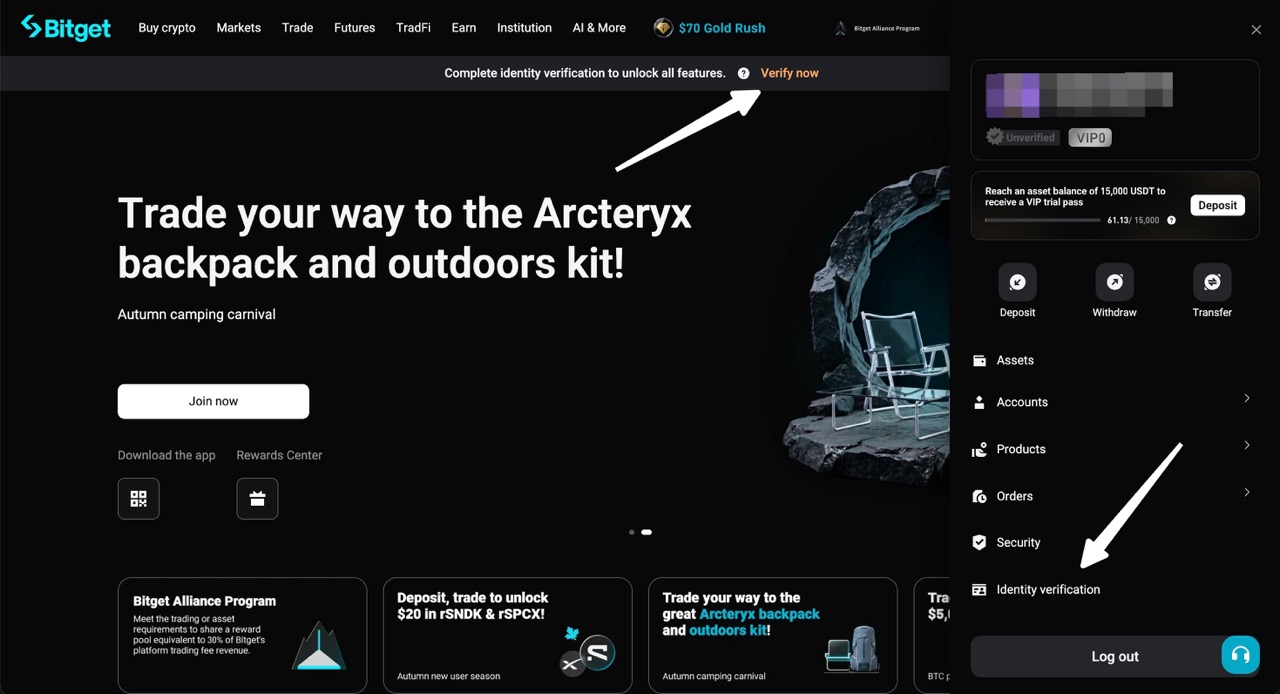
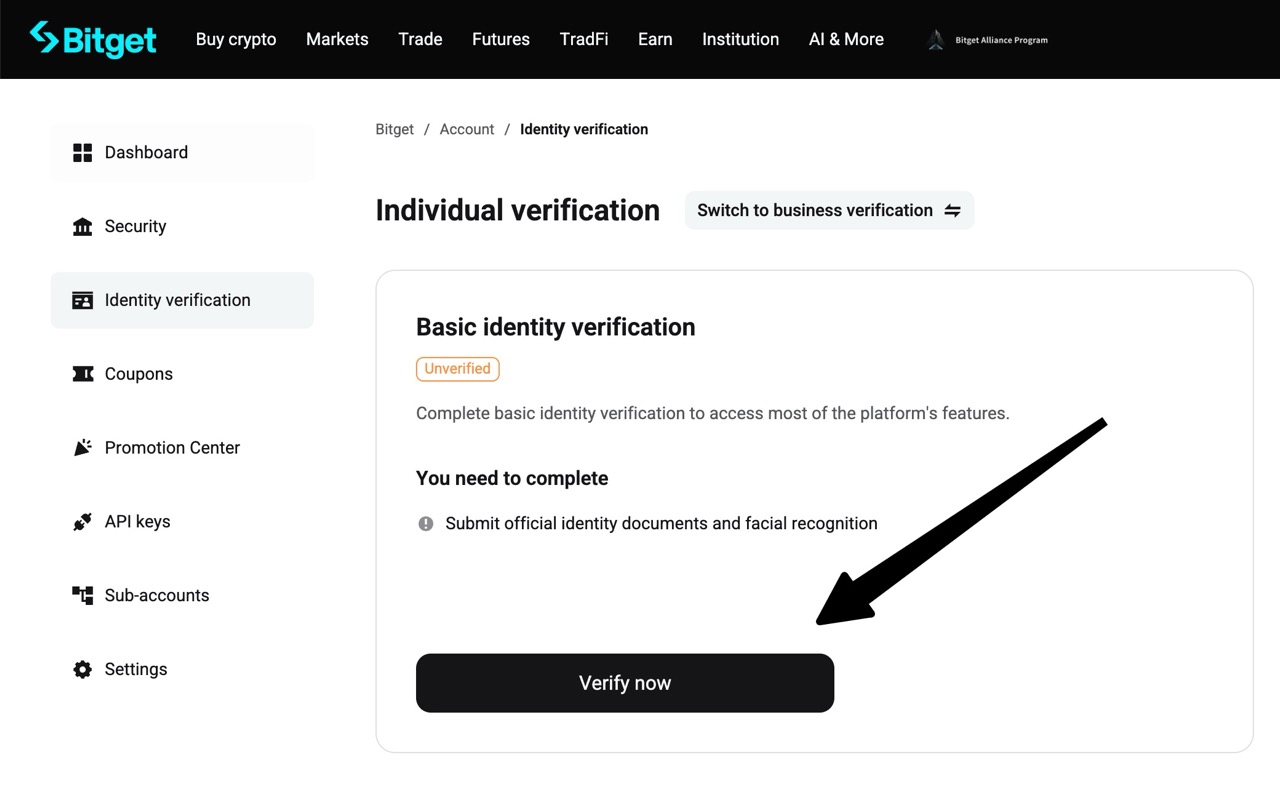
- Web: click your profile icon in the top right corner, select Identity Verification, then click Verify Now under Individual Verification.
|
|
|
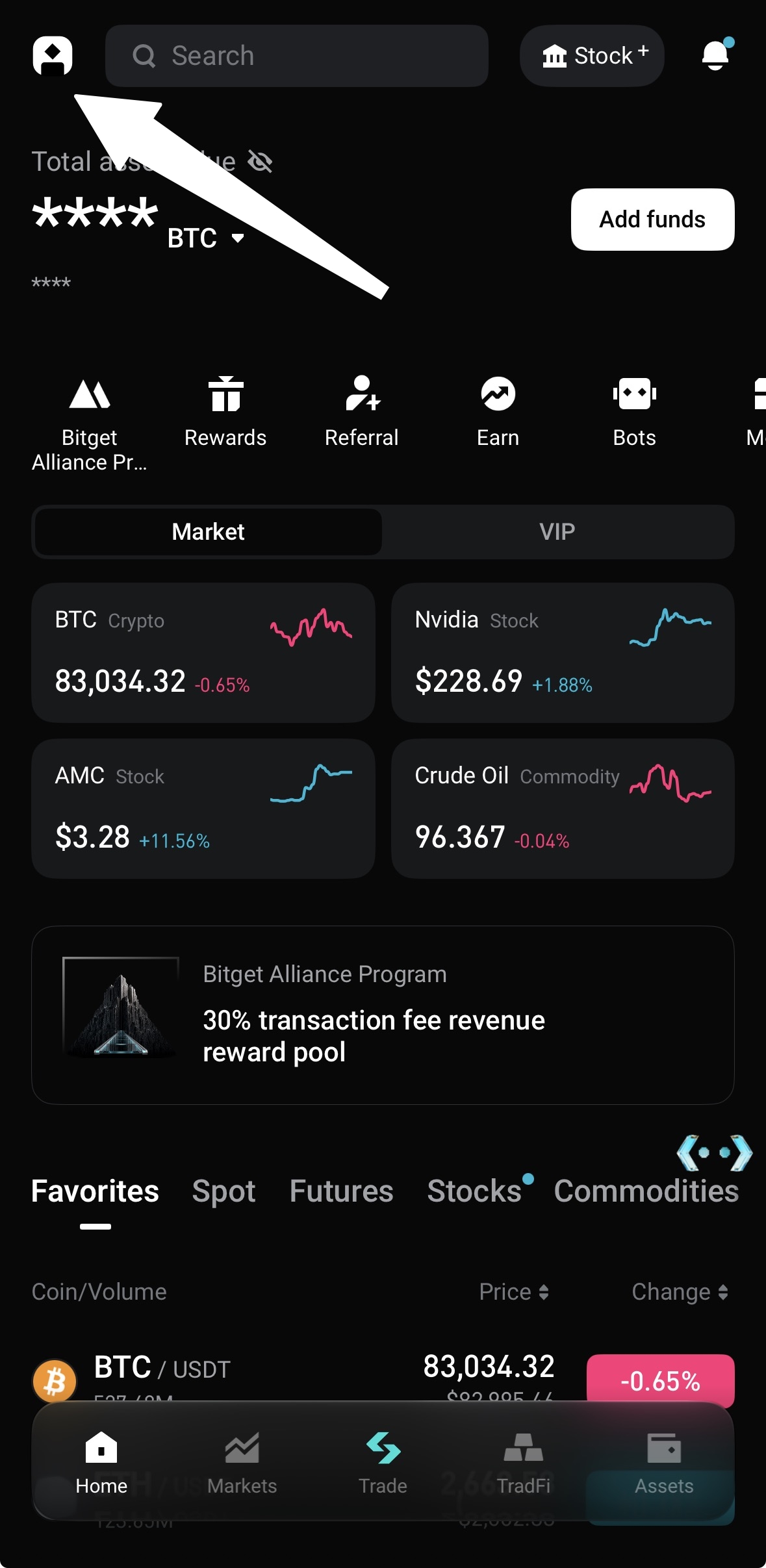
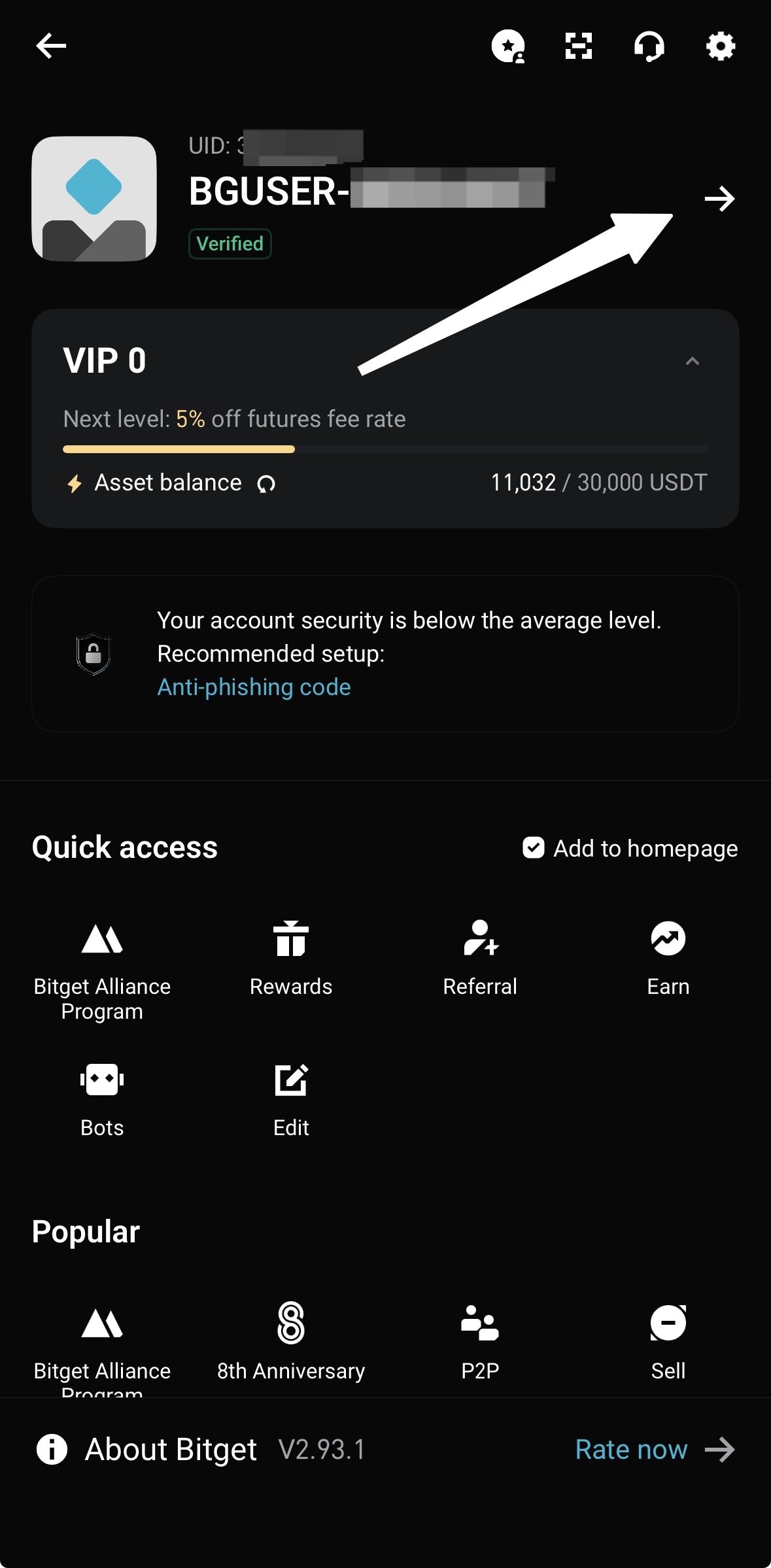
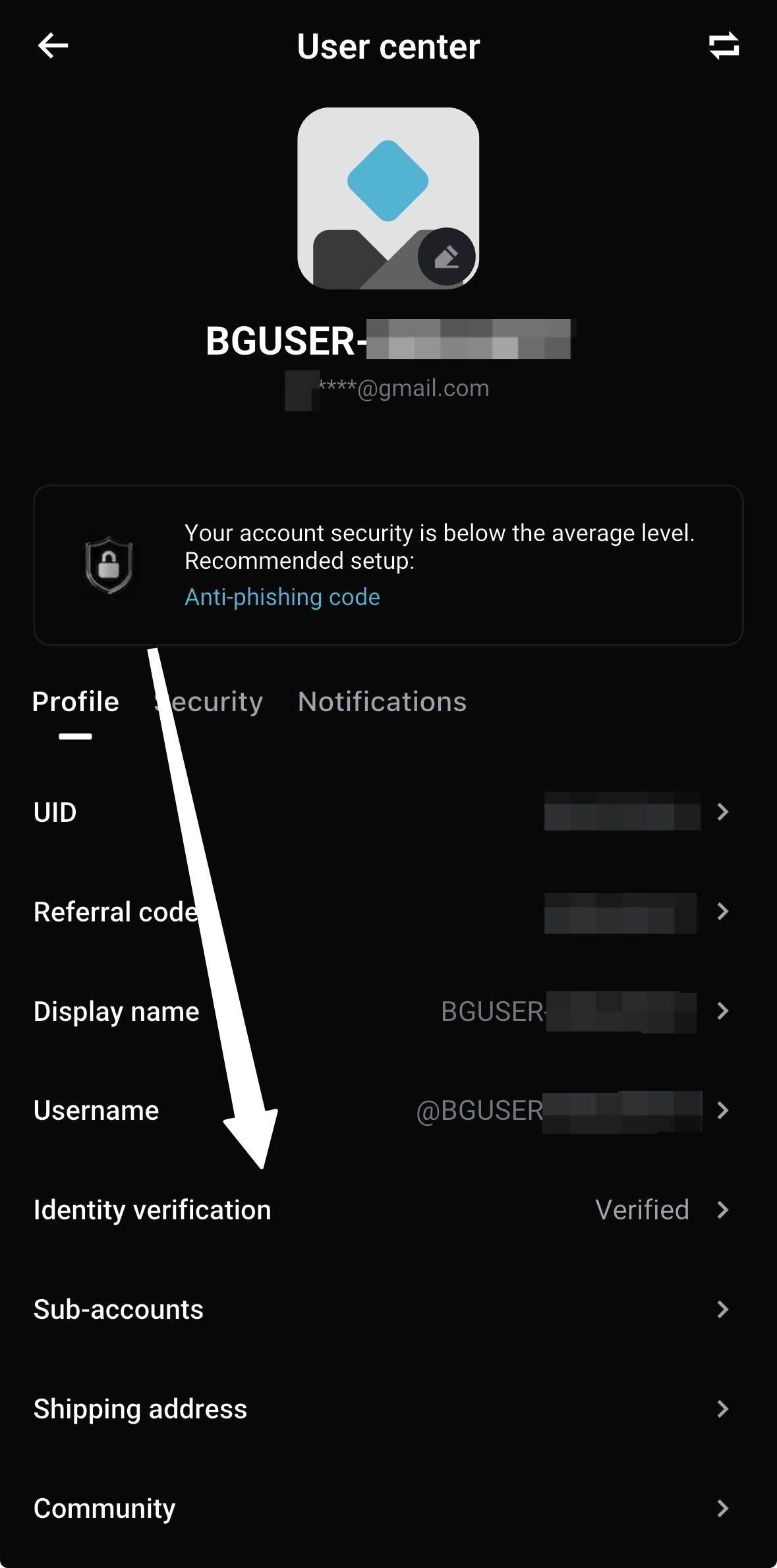
- App: Go to the User Center in the top left corner and select Identity verification.
|
|
|
|
2. Select country/region and document type
- Enter your country/region of residence and country/region of issuance accurately.
- Choose an available document type from the dropdown menu (ID card, passport, driver's license, etc.). Selecting the wrong one may prevent you from continuing or cause the review to fail.
3. Upload your ID photos and complete facial recognition
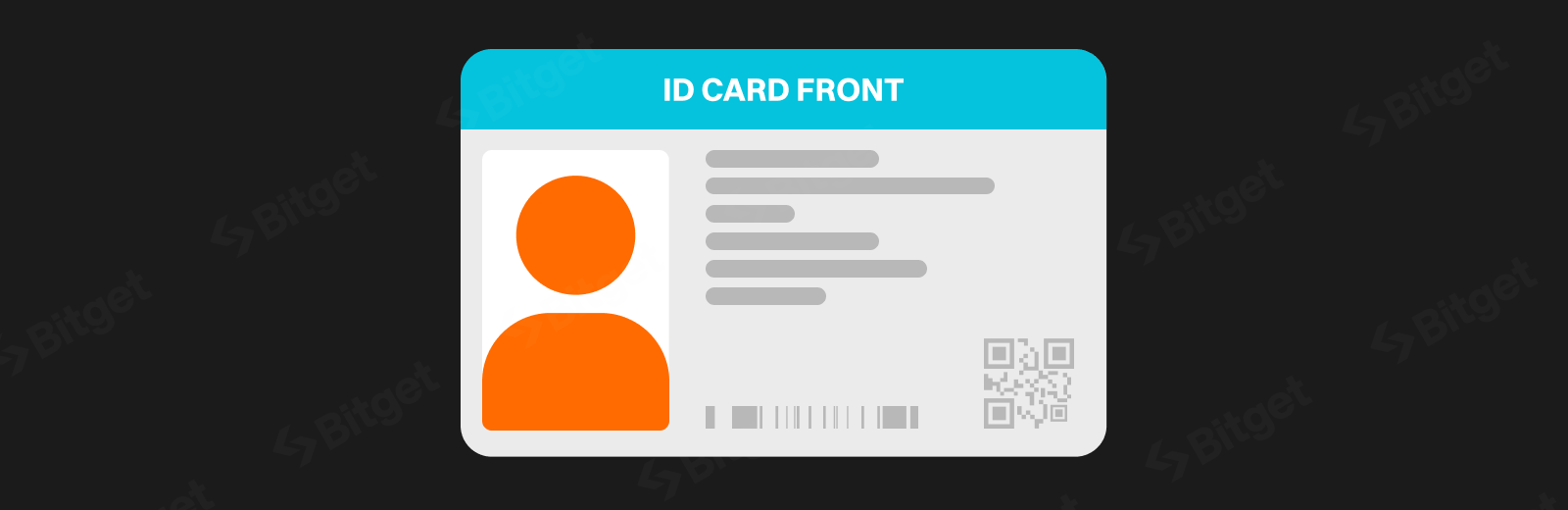
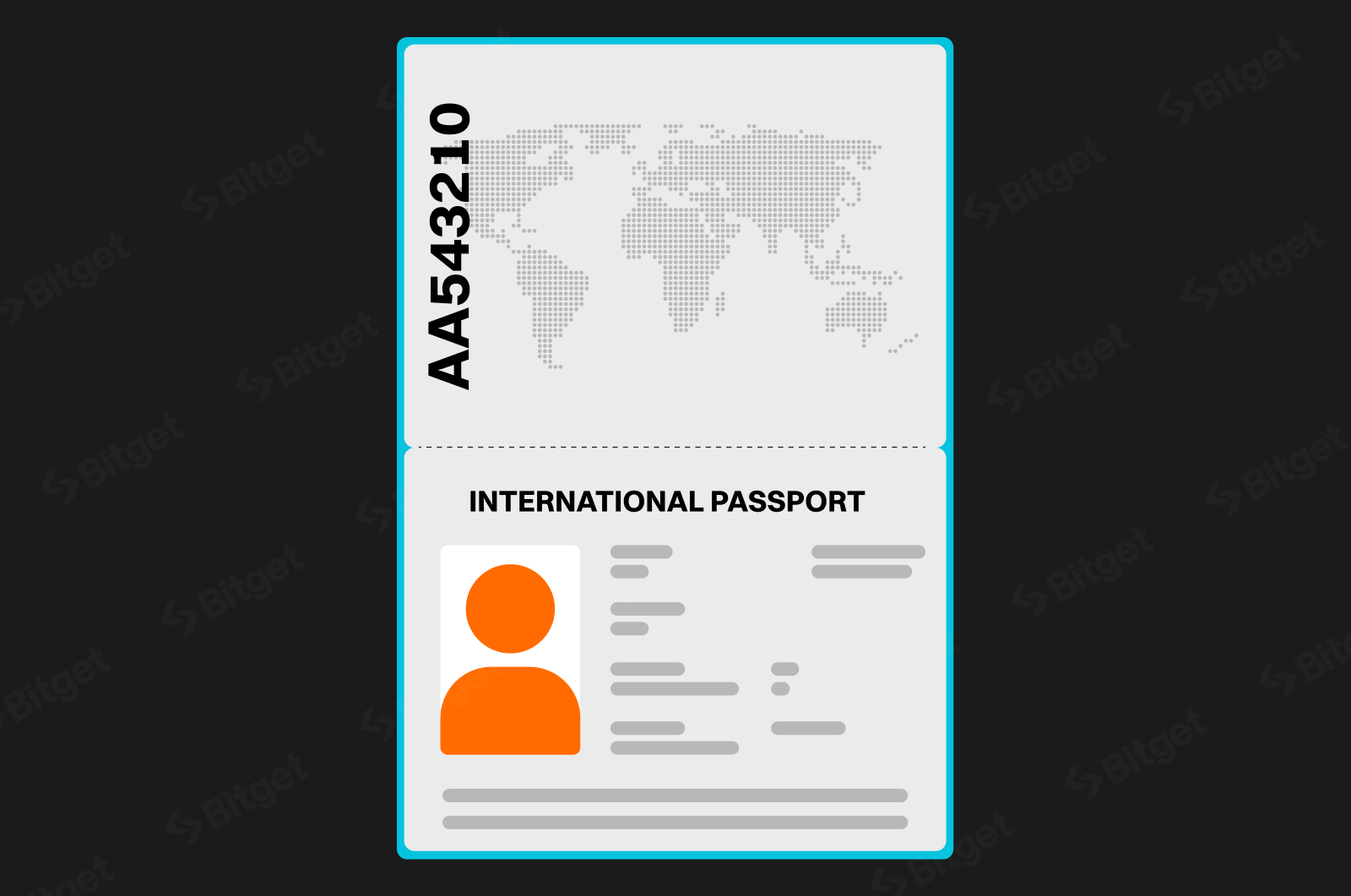
- Front of ID: make sure all four corners are visible, the information is clear, and there's no cropping or glare. Passport holders need to photograph the bio page and any relevant pages.
|
|
|
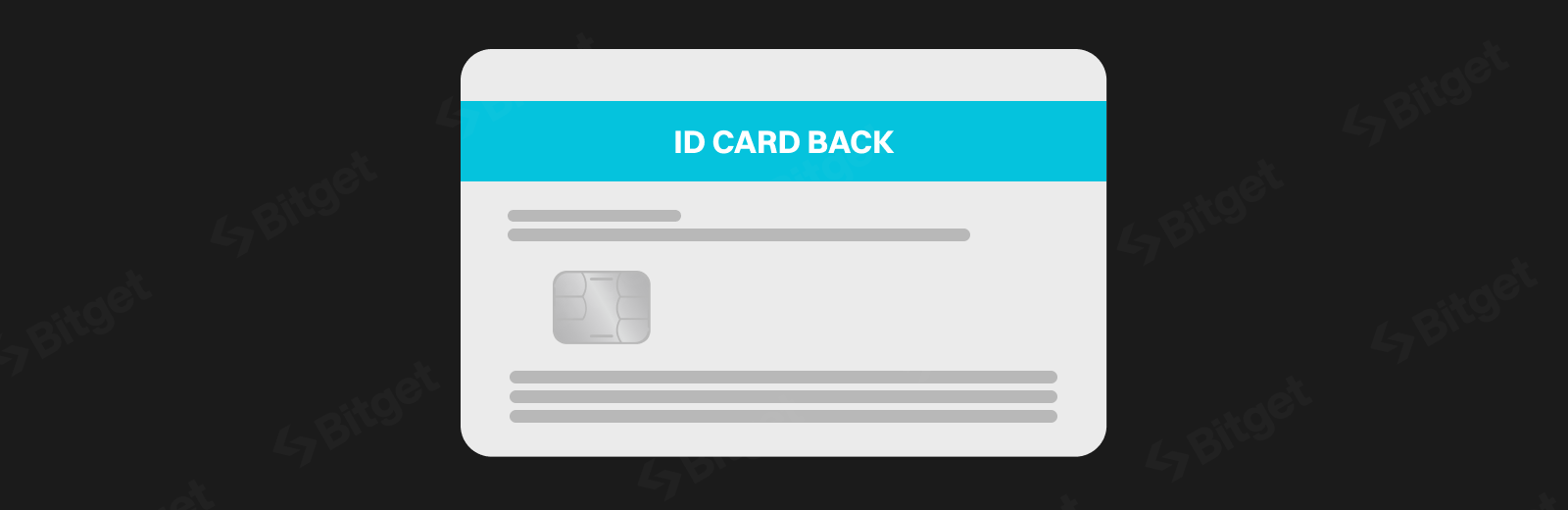
- Back of ID: required for certain ID types.
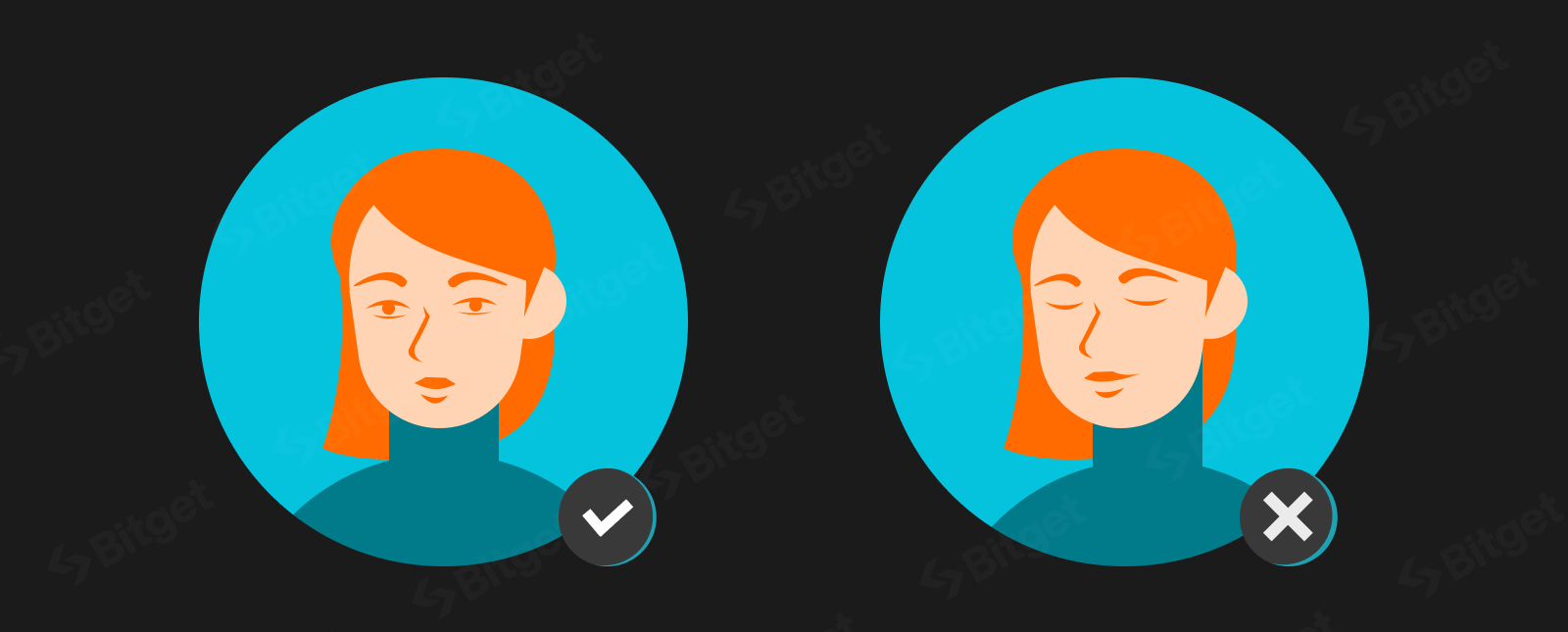
- Facial liveness check / selfie: follow the prompts to blink, turn your head, and complete other actions as instructed.
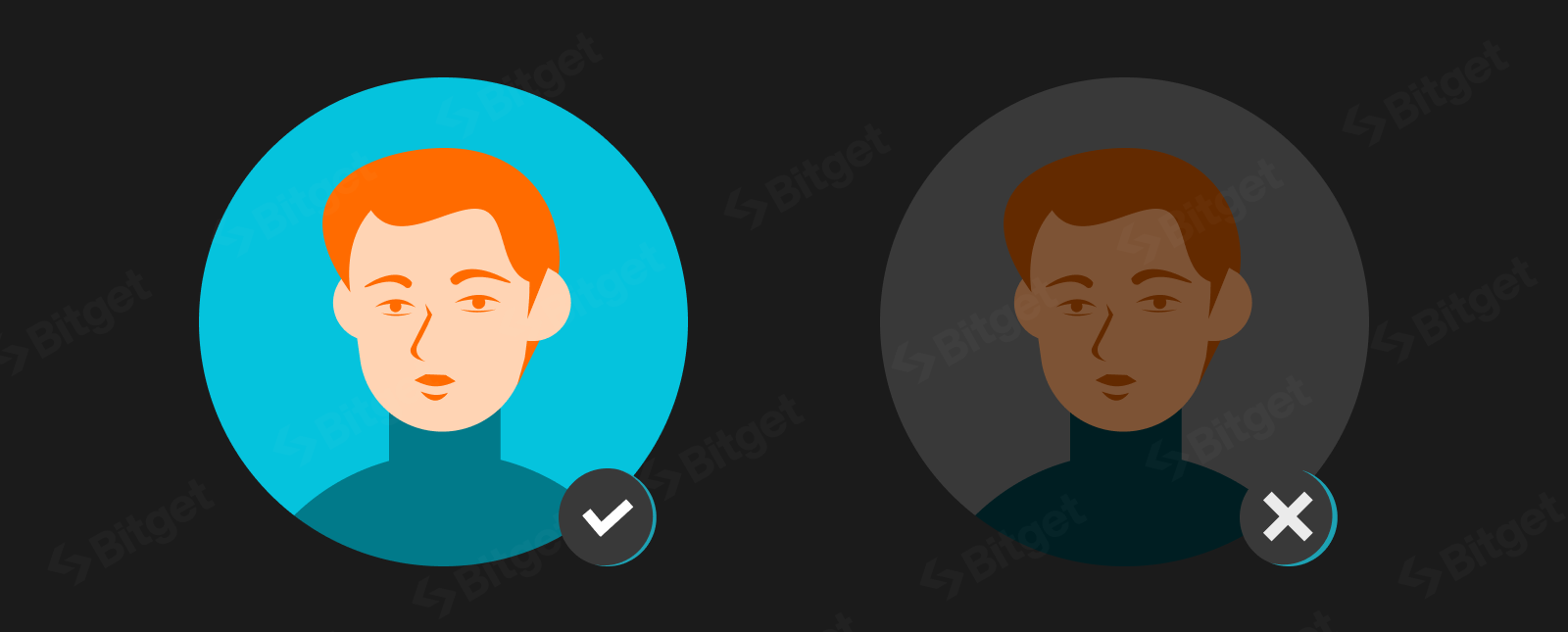
Key tips:
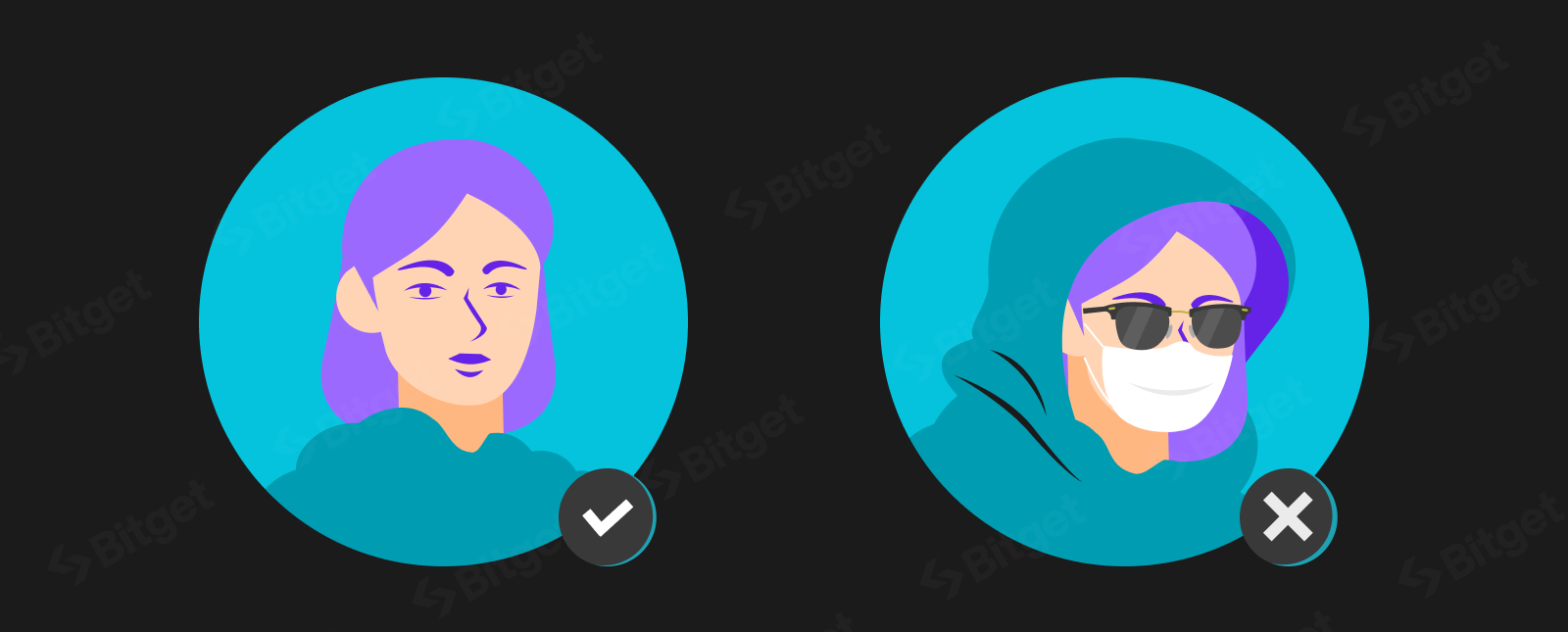
- Remove hats, glasses, masks, or anything covering your face.
- Make sure lighting is bright and even, avoiding anything too dark, too bright, or blurry.
- Face the camera directly and keep your eyes open.
|
|
|
|
- The system uses OCR and AI liveness detection, so submission usually takes just a few minutes.
4. Submit and wait for review
- Double-check your information, then submit. The status will show as "Under review."
- Most reviews are completed within a few minutes to an hour (rarely more than a few hours). You'll be notified of the result by email or account notification.
5. After approval
- You can start depositing, trading, withdrawing, and enjoy higher withdrawal limits.
Common reasons for rejection and how to fix them
- Cropped ID photos, incomplete information, poor-quality black-and-white or scanned copies, or glare.
- Selfies with closed eyes, face coverings, poor lighting, or blurriness.
- Information that doesn't match your ID, or an incorrect country or region/ID type selection.
If verification fails, you'll receive an email explaining why. Simply resubmit following the instructions. You can try up to 5 times within 24 hours; after that, you'll need to wait 24 hours before trying again. If any information is incorrect (such as your name or date of birth), contact customer service to correct it after submitting.
Additional information
- Proof of address (POA): in some cases (such as for higher limits or specific risk reviews), you may be asked to upload a bank statement, utility bill, or government document issued within the last three months. The name must match the one on your identity verification document.
- Business verification (KYB) or enhanced due diligence (EDD): applies to institutional users or specific high-risk situations, requiring additional documents, mainly processed via the web.
- For detailed official tutorials, check the related articles in the Bitget help center.
Notes
- Always use a genuine, valid ID. False information will result in a permanent restriction.
- The verification process is fully encrypted, and the platform strictly protects your privacy.
- For the best success rate, complete the process in one go in a quiet, well-lit environment.
- If you run into any issues, submit a ticket via the app or website with your user ID.
Once you've completed identity verification, you can use Bitget's full trading services safely and smoothly. Log in now to start verification and enjoy higher limits and full access to all features.


- What is KYC?
- What are the benefits of identity verification?
- How to complete Bitget identity verification?
- Notes