
Bitget App
スマートな取引を実現
暗号資産を購入市場取引先物Bitget Earn広場もっと見る

Bitgetアカウントを使ってTradingViewでプロのように暗号資産を取引しましょう
取引を始める
アカウントを接続
素晴らしい

良いです。プロモーションが多く、登録も簡単です。

TradingViewでBitgetを使用して取引する理由は?
堅牢なセキュリティ
お客様の資産は、最先端の暗号化技術、MPCウォレット技術、および完全な管理権限を保持するセルフカストディによって保護されています。
多種類の取引に対応
ウォッチリスト、アラート、ライブニュースは、チャートと取引ダッシュボードにシームレスに統合されます。
資金保護
7億4,100万ドルの保護基金と認証済みの準備金証明により1:1の資産比率が保証され、安心して取引できます。
TradingViewを使ってBitgetで取引するには?
Image 1
Professional trading starts from TradingView analysis
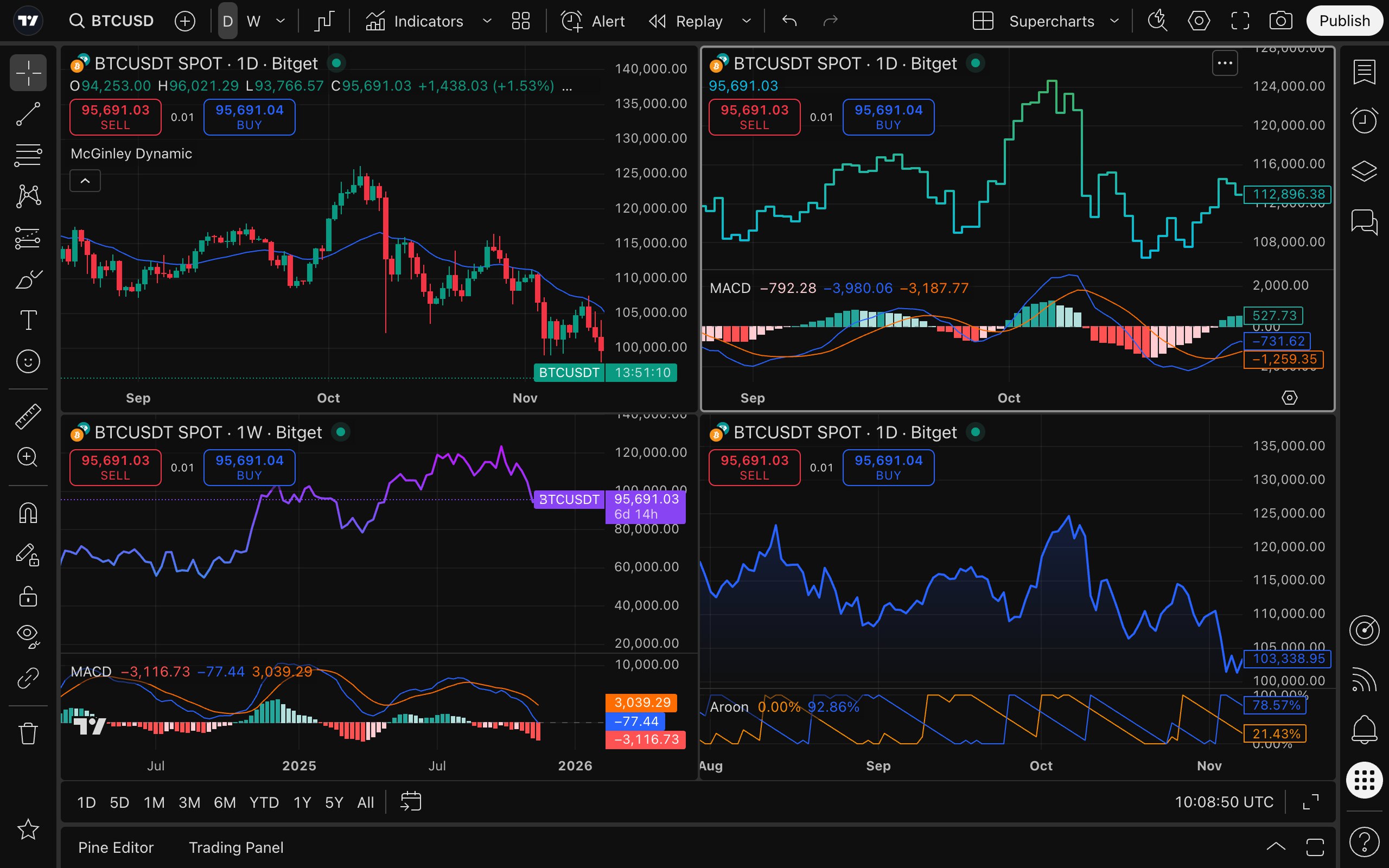
  • Powerful charting tool: Integrated over 20 professional chart types, 400+ built-in indicators, and 100+ asset filters, plus real-time news updates and earnings data to support your analysis, selection, and decision-making process.

  • Custom alerts: 13 fully customizable alert conditions across price movements, indicators, and strategies, enabling instant push notifications to help you stay ahead of market movements.

  • Backtesting validation: Pine Script™ transforms your trading ideas into credible strategies and indicators, and validate them against historical data, backing every trade you place with evidence and confidence.

  • Trader community: Join a network of over 100 million traders, explore expert insights, learn practical tactics, and discover a vast library of original strategies, broadening your input for trading ideas.


Bitget handles trade execution for you
  • High-liquidity trading: Backed by a deep order book and global liquidity network to minimize slippage, ensuring smoother and more predictable order execution.

  • Asset security: The Proof of Reserves and a dedicated Protection Fund provide an extra layer of asset protection.

  • Risk control: An institutional-grade risk control system designed to mitigate risks during extreme market conditions.

  • Diverse assets: One-stop access to a wide range of assets, instantly expanding trading offerings and boosting user retention and overall trading volume.

Combine analysis and execution in one step
  • Place orders on Bitget within TradingView charts.

  • No need to switch between platforms.

  • Fast strategy execution.

  • Integrated Bitget-TradingView execution: Set up spot strategies, place orders, and precisely configure take-profit/stop-loss (TP/SL) levels within seconds, keeping your trading plan seamless, fast, and highly efficient.

デバイスをまたいでシームレスに取引
強力なデスクトップアプリでエクスペリエンスを強化したり、モバイルアプリで外出先でも取引したりできます。
デスクトップアプリをダウンロード
App Storeからダウンロードする
Google Playからダウンロード

開始方法

01 / アカウントを作成する
Bitgetに登録して、無料のTradingViewアカウントを作成してください。
03 / アカウントを接続する
Bitgetの認証情報を入力してアカウントを接続します。
02 / TradingViewでBitgetを使用する
TradingViewの取引パネルまたはブローカーリストでBitgetを見つけます。
04 / 取引を開始する
Bitgetアカウントを使用して、TradingView Supercharts上で直接取引を実行できます。

よくあるご質問

TradingViewアカウントの作成方法は?

tradingview.comにアクセスし、右上隅のメンバーアイコンをクリックして、「登録」ボタンをクリックし、希望する確認方法を選択します。コミュニティニュース市場スクリーナーをぜひご覧ください。

TradingViewはどのブラウザをサポートしていますか?

TradingViewはすべての最新ブラウザと互換性があり、デスクトップアプリとモバイルアプリも提供しており、公式ウェブサイトからダウンロードできます。
入出金の方法は?
TradingViewに接続後も、お客様の証券会社は入出金を含むすべてのアカウント取引を引き続き処理します。

Bitgetアカウントを使用してTradingViewで取引できる資産は何ですか?

Bitgetでサポートされているすべての先物資産は、TradingViewで取引できます。現物資産は統合中です。

実際のお金をリスクにさらさずに取引を練習したいのですが、どうすればいいですか?

ペーパートレーディング機能を使用すると、実際の資金を危険にさらすことなく、シミュレーション取引を実行できます。ペーパートレーディングの使用を開始するには、チャートを開き、取引パネルを開いて、ペーパートレーディングを選択します。シミュレーション取引は、統合アカウントにおける実際の実行速度や注文行動を反映するものではありませんのでご注意ください。

TradingViewのチュートリアルやガイドはどこで見つかりますか?

さらに詳しく知るには、TradingViewのヘルプセンターを参照したり、サポートチケットを送信したり、ブローカーに問い合わせてサポートを受けるなど、いくつかの方法があります。TradingViewは、公式YouTube チャンネルで幅広いチュートリアルも提供しています。

いくらかかりますか?

統合はお客様に無料でご利用いただけます。標準的な仲介手数料とコミッションのみが適用されます。上級トレーダー向けにはTradingViewのプレミアムプランもご購入いただけます。
© 2026 Bitget